Simple Voice Recorder
Simple Mobile ToolMusic & Audio
4.4609.00 Reviews
- Version
- 6.1.3
- Installs
- 5.00M
- Age Rating
- Everyone
Screenshots
Our Review of Simple Voice Recorder
 Analysis by Appyee
The most useful thing about Simple Voice Recorder is how quickly it gets from an idea to a saved audio file. I like that its main job is clear: press record when something needs capturing, then stop when you're done. That narrow focus is handy when taking a note on the move, and it makes this free Music & Audio app feel less like a project to learn than a tool to reach for.
A recorder built around starting quickly
There is a real difference between an app that can record and one I will actually remember to open at the right moment. A stripped-back recording screen helps with that. If a thought comes up while I'm walking, or someone gives me a detail I don't want to lose, I don't want to hunt through menus before I can speak. The simple start-and-stop approach makes short captures feel natural.
That speed also suits situations where typing would interrupt what I'm doing: dictating a reminder while unpacking groceries, saving a melody idea before it slips away, or recording a question to ask later. I still need to listen back and turn important spoken thoughts into an action, but capturing them first is often easier than stopping everything to type.
Small workflow choices that make recordings easier to use
A quick recording can become hard to identify once several files accumulate. I recommend renaming each one soon after stopping, while the subject is still fresh. A title such as “kitchen shelf measurements” is more useful than a generic name when I'm trying to find one note days later. Sorting and search can help, but they work best when I give recordings recognizable names.
Tags are useful for a different reason: they let me group audio by purpose rather than just by when I made it. I might keep class notes separate from personal reminders, for instance. For a busy day, a consistent naming pattern—topic first, then a short distinguishing detail—can make the list easier to scan without adding a complicated filing routine.
Playback is worth treating as part of the recording process, not an afterthought. I would check an important clip while I still have the chance to repeat it, especially if it contains a phone number, an instruction, or a line of dialogue. A recorder can preserve what its microphone picks up, but it cannot fix a muffled voice or a conversation drowned out by nearby noise.
Choosing settings with a purpose
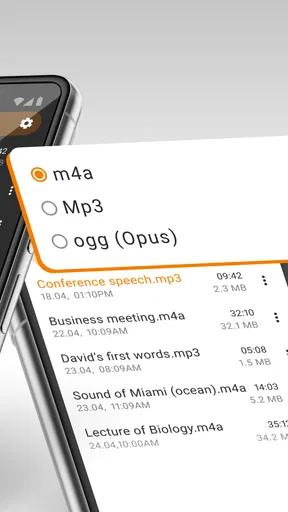
The choice between MP3 and WAV is best made according to what I plan to do with a clip. For a short personal reminder that I may share or keep for reference, a smaller file can be convenient. If I care more about retaining a recording for later editing, a less compressed format may be preferable, though it can take more room. The app gives me options; it is still up to me to match them to the task.
Recording quality involves a similar trade-off. Higher quality can be helpful when details matter, while a space-saving setting makes more sense for routine notes. I would avoid changing settings just because a maximum option sounds impressive. For ordinary speech, a clear voice close to the microphone is often more valuable than a large file recorded from across a noisy room.
Where it fits among recording options
Simple Voice Recorder is developed by Simple Mobile Tool, and its appeal is the directness of a dedicated recorder. A phone's built-in recorder may be enough if it already fits your habits; a full audio-editing app is more appropriate when you need to shape, mix, or polish sound. This one sits between those choices: more focused on recording and handling voice files than a general note-taking app, without asking me to approach every memo like an editing session.
That distinction matters for interviews and classes. I would use it to capture a conversation only with the other person's knowledge and permission, and I would make a short test recording first to check that the phone is placed sensibly. For a lecture, I would still take written notes of key points and timestamps. Audio is valuable for revisiting details, but finding one sentence inside a long recording can take longer than scanning a page of notes.
Who will appreciate this approach
The app is a good fit for people who want voice capture without a steep learning curve: students making supplementary recordings, musicians saving rough ideas, or anyone who prefers speaking a reminder instead of typing one. Its 4.5 average from around 46,000 ratings and more than a million installs suggest that many people have found a straightforward recorder useful. It is free to install, rated for Everyone, and its current version is 6.1.1; optional in-app purchases range from $0.99 to $99.99 per item.
I would look elsewhere if my main need were transcription, detailed waveform editing, automatic meeting notes, or a dependable archive shared across devices. Those jobs call for tools designed around those specific workflows. A basic recorder can preserve a voice, but it does not replace transcription or careful file management. I would also skip recording in situations where I cannot place the phone close enough for understandable speech.
For a realistic everyday example, imagine a repair technician explaining what needs attention while I am at home. I can start a recording, listen back once the visit is over, rename it with the appliance and date, and share it with someone helping me compare options. That is a simple, practical chain from capture to use. If the details are important, I would also write down the final recommendation rather than relying on one audio file alone.
Released on March 30, 2020, the app supports Android 6.0 and later. That makes the minimum system requirement worth checking before installing it on an older device. I would also try the actual microphone and playback route I plan to use: a phone case, a noisy room, or a Bluetooth accessory can affect the result, so a quick test in the intended setting is more informative than assuming every setup will sound the same.
For privacy and reliability, I would make a habit of checking a recording before deleting or sharing it. A spoken memo can contain names or personal details, so I would choose the recipient carefully and use whatever file-handling safeguards I normally rely on. Sharing is convenient, but it is still a deliberate step—not a substitute for deciding who should hear the recording.
If I were choosing between this and a built-in recorder, I would ask one practical question: do I need the extra organization and format choices enough to use a separate app? If not, the built-in option may be simpler. If I want a dedicated place to capture, rename, sort, search, tag, and share voice files, this app offers a more purposeful routine without the overhead of a full audio workstation.
If you're anything like me, you're always on the hunt for apps that make life a little easier. Enter Simple Voice Recorder, an app that promises to streamline your audio recording needs. But does it deliver? I've taken it for a spin, and here's what I've found.
Getting Started with Simple Voice Recorder
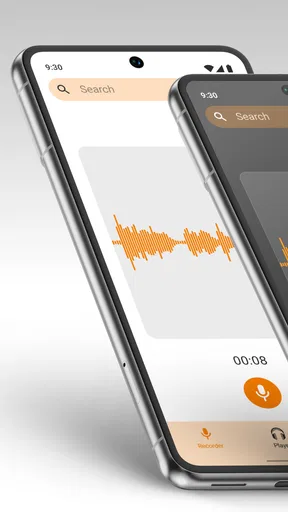
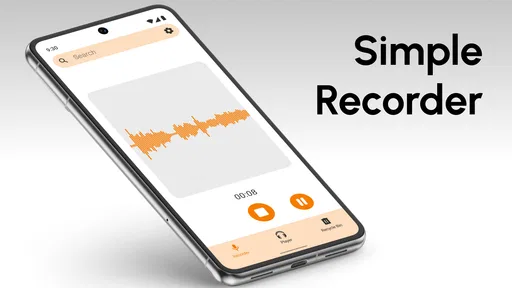
First things first, let's talk about ease of use. The app truly lives up to its name. Downloading and installing it is a breeze, and once it's on your device, you're greeted with a clean, intuitive interface. No frills, no fuss – just a big red button tempting you to start recording. I couldn't resist, and within seconds, I was recording my first audio note.
Simplicity at Its Best
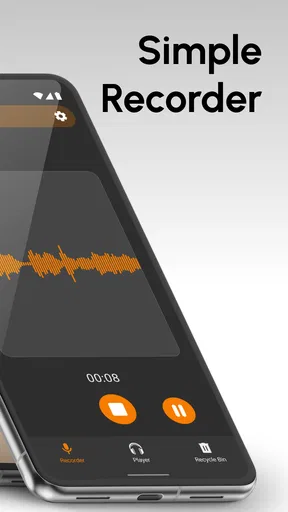
What struck me immediately was how streamlined the process is. You hit record, and that's it. No need to fiddle with settings or navigate through complicated menus. This is perfect for someone who needs to capture thoughts, lectures, or even a quick melody without any hassle.
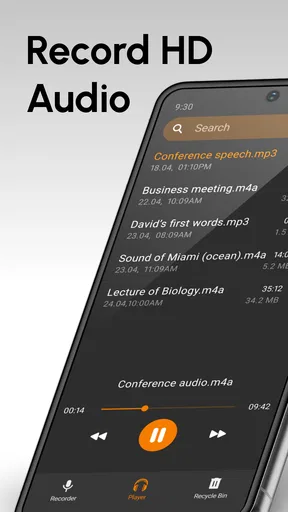
When you're done, a simple tap on the stop button saves your recording. You can then play it back, rename it, or share it directly from the app. It's that straightforward, which I found incredibly refreshing.
Sound Quality and Features
Now, let's talk about the sound quality. I was pleasantly surprised by how clear and crisp the recordings were. Of course, this might vary depending on your device's microphone, but the app does a commendable job in capturing audio without any noticeable distortion.
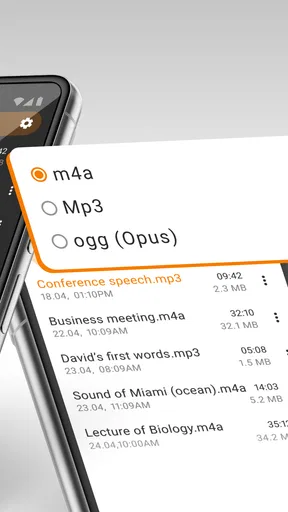
Although the app's primary focus is simplicity, it doesn't skimp on essential features. You can choose from different recording formats, like MP3 or WAV, which is great for tailoring the files to your needs. Plus, there's an option to adjust the recording quality if you're looking to save space on your device.
Organizational Tools
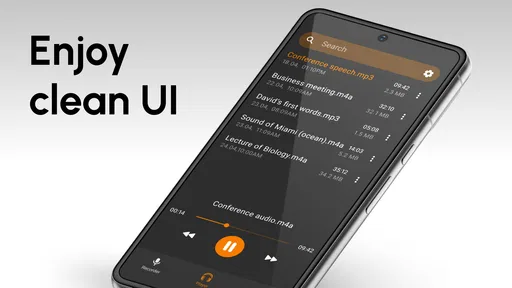
With all these recordings, you might wonder how to keep everything organized. The app has you covered. You can sort your audio files by date or name, and there's a handy search function to quickly find what you're looking for. I found this particularly useful when I needed to sift through multiple recordings.
There's also a tagging feature, allowing you to categorize recordings easily. Whether you're a student, a journalist, or just someone who loves jotting down voice memos, this functionality will save you a ton of time.
Sharing and Accessibility
One of the highlights for me was how easy it is to share recordings. With just a couple of taps, you can send your audio files via email, messaging apps, or even upload them to cloud services. This makes it incredibly convenient if you need to collaborate or just want to back up your files.
Moreover, the app works seamlessly across both Android and iOS platforms, so you can share recordings with friends regardless of their device. It's little things like this that enhance the overall user experience.
Final Thoughts
In a world where apps often try to do too much, Simple Voice Recorder stands out by doing exactly what it promises – and doing it well. Its minimalist design and focus on core functionality make it a must-have for anyone needing a reliable voice recorder.
Whether you're recording interviews, lectures, or just your own musings, this app won't let you down. It's simple, effective, and best of all, it doesn't get in your way. If you're looking for a no-nonsense voice recording app, Simple Voice Recorder is definitely worth a download.
Verdict
Strengths of Simple Voice Recorder
- Easy-to-use interface for quick recording.
- High-quality audio capture with minimal noise.
- Supports multiple audio formats for flexibility.
- Allows background recording while multitasking.
- Lightweight app with fast installation.
Limitations of Simple Voice Recorder
- Limited editing features within the app.
- No cloud sync for recordings.
- Ads can be intrusive at times.
- Requires manual file organization.
- No built-in transcription feature.
Other Releases by Simple Mobile Tool
View All
Simple Calendar Pro
Productivity4.6

Simple Notes Pro
Productivity4.7
Similar Picks in This Category
View All
YouTube Music
Google LLC4.4

Samsung Music
Samsung Electronics Co., Ltd.3.8

Spotify: Music and Podcasts
Spotify AB4.3

JioSaavn - Music & Podcasts
Saavn Media Limited4.3

Lark Player:Music Player & MP3
Lark Player Studio - Music, MP3 & Video Player4.6

StarMaker: Sing Karaoke Songs
SKYWORK AI PTE. LTD.4.3
Frequently Asked Questions
What features does Simple Voice Recorder offer?
Simple Voice Recorder provides an intuitive interface for easy recording, playback, and management of audio files. It supports high-quality audio formats and allows users to organize recordings with tags and categories. Additionally, it offers sharing options, cloud backup compatibility, and basic editing tools to trim and enhance recordings.
Is Simple Voice Recorder free to use?
Simple Voice Recorder offers a free version with essential features suitable for most users. However, there is a premium version available that unlocks advanced features such as ad-free usage, higher audio quality, and additional editing tools. The premium version can be purchased as a one-time payment or through a subscription.
How user-friendly is Simple Voice Recorder for beginners?
Simple Voice Recorder is designed with simplicity in mind, making it highly user-friendly, even for beginners. The app features a clean and straightforward interface with easy-to-access buttons for recording and playback. Its intuitive navigation ensures that users can quickly learn and utilize all the app's functionalities without a steep learning curve.
Can I share my recordings with others?
Yes, Simple Voice Recorder allows users to share their recordings via various platforms. You can easily send your audio files through email, messaging apps, or upload them to cloud services like Google Drive or Dropbox. The app also supports direct sharing to social media, making it convenient to distribute your recordings.
Does Simple Voice Recorder work offline?
Simple Voice Recorder functions efficiently offline, allowing you to record and manage your audio files without an internet connection. However, some features such as cloud backup and sharing through online platforms will require an internet connection. Users can still enjoy all core recording features while offline.
